Editor Reviews
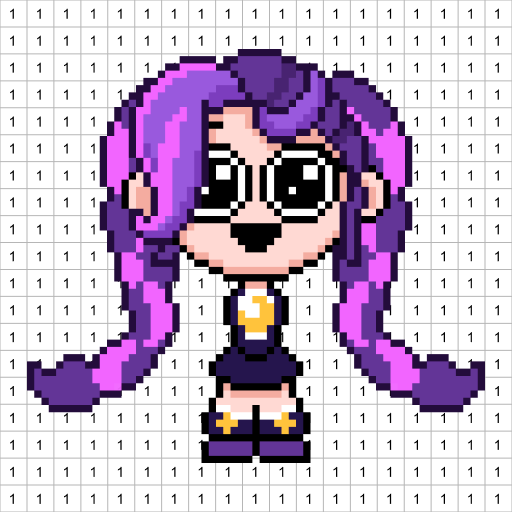
DIY Pixel Art Idea ASMR by NEXCOSMO is a relaxing color-by-number game built around the satisfying tactile loop of tapping numbered grid squares to reveal cheerful pixel art images. Every successful placement triggers a high-fidelity click or pop sound paired with subtle vibration, delivering the ASMR experience that defines the genre. Templates are organized into themed categories — Animals, Food, Landscapes, and Fantasy — and completing one image unlocks access to more. A freeform coloring mode lets creative players draw on blank canvases using the full palette without any number constraints. The minimalist design philosophy shows in the absence of energy systems, color paywalls, or time pressure, making it a genuinely stress-free mobile experience. Bright cheerful music accompanies each session, and the visual results are surprisingly polished for a mobile pixel art title. 🎨✨
How to play?
1. **Choose a Template** — Browse the themed category gallery (Animals, Food, Landscapes, Fantasy) and tap a canvas image you want to complete.
2. **Identify the Active Color** — The numbered palette at the bottom highlights the currently selected color; tap a number to switch colors.
3. **Tap to Fill** — Tap each square on the grid that matches the active number to place a colored pixel; ASMR sound and vibration confirm each placement.
4. **Zoom In for Precision** — Pinch the canvas to zoom into dense areas and pan around to reach all corners without accidental mis-taps.
5. **Switch Colors Often** — Regularly swap your active palette color to fill different sections efficiently and reduce repetitive scrolling across the canvas.
6. **Use Freeform Mode** — Tap Freeform Canvas in the menu to paint freely on a blank or lightly sketched grid using any color without number restrictions.
7. **Complete and Save** — Fill every numbered square to trigger the completion animation, then save the finished artwork to your gallery or share it directly.
 Asphalt 8 Car Racing Game
 Minion Rush: Running Game
 Fruit Ninja®
 Lords Mobile: Kingdom Wars
 Race Master 3D: Car Racing
 Hill Climb Racing 2
 World of Peppa Pig: Kids Games
 Blockman Go
 8 Ball Pool
 Coin Master
 Pokémon GO
 Getting Over It


























