Editor Reviews
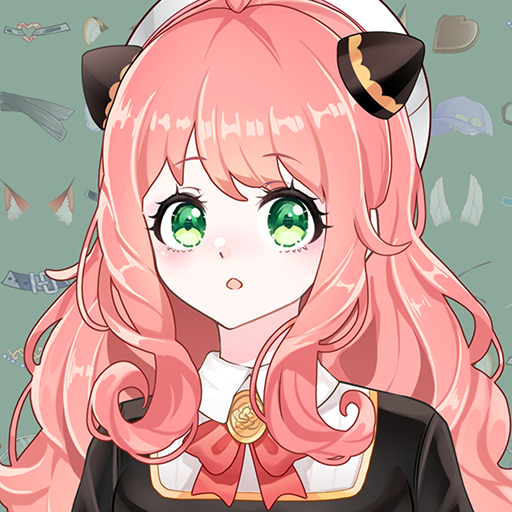
Anime Avatar Creator (Anime Avatar Maker 2) is a casual character customization game that lets you design detailed anime-style avatars with an extensive library of over 1000 mix-and-match parts. Players can choose body types including boy, girl, lady, or gentleman, then customize facial features, hairstyles, outfits, accessories, and decorations in granular detail. A blind box system adds a collectible element where players accumulate stars through daily check-ins and task completion to draw themed costume sets. The game features optional ads rather than forced interruptions, and most customization content is freely accessible. It is a relaxing, creative experience well-suited for fans of anime aesthetics who enjoy building their ideal character from scratch. 🎌✨
How to play?
**1. Launch the Game and Pick a Body Type**
Open Anime Avatar Creator and select your character's base body type from boy, girl, lady, or gentleman options.
**2. Customize Facial Features**
Use the detailed face editor to adjust eyes, eyebrows, nose, mouth, and skin tone using the available sliders and part selections.
**3. Style the Hair**
Browse the hair section and choose a hairstyle and color that fits your character concept.
**4. Dress Your Character**
Select outfits, tops, bottoms, shoes, and accessories from the clothing library. Mix and match freely across different style categories.
**5. Add Decorations and Backgrounds**
Apply additional decorations such as props, backgrounds, and special effects to complete your avatar's visual scene.
**6. Collect Blind Box Costumes**
Complete daily tasks and check-in each day to earn stars, then use stars to draw themed blind boxes and unlock exclusive outfit sets.
**7. Save and Export Your Avatar**
When satisfied with your design, save the avatar as an image to your device gallery for use as a profile picture or wallpaper.
 Asphalt 8 Car Racing Game
 Minion Rush: Running Game
 Fruit Ninja®
 Lords Mobile: Kingdom Wars
 Race Master 3D: Car Racing
 Hill Climb Racing 2
 World of Peppa Pig: Kids Games
 Blockman Go
 8 Ball Pool
 Coin Master
 Pokémon GO
 Getting Over It


























